Empathize
User interviews and secondary research: accessibility standards, advocacy writing, and community forum patterns from disability-focused audiences.

A decision tool for accessible live music venues
Underpass is a mobile concept for people who need reliable access information before committing to a night out. Instead of burying accessibility inside venue marketing or compliance copy, it reframes venue access as comparable, updateable decision data.
Role
UX/UI Designer
Type
Mobile app concept / Accessibility product
Timeline
4-week concept sprint
Tools
Figma, Illustrator
Team
Solo
Project methodology
The process followed a structured research arc — grounding each decision in evidence before moving to structure, and validating assumptions before committing to visual direction.
User interviews and secondary research: accessibility standards, advocacy writing, and community forum patterns from disability-focused audiences.
Personas, pain point synthesis, and a problem statement grounded in where access uncertainty actually accumulates in the planning journey.
Reviewed existing venue directories and access apps, then mapped information architecture and user flows before committing to any structural decisions.
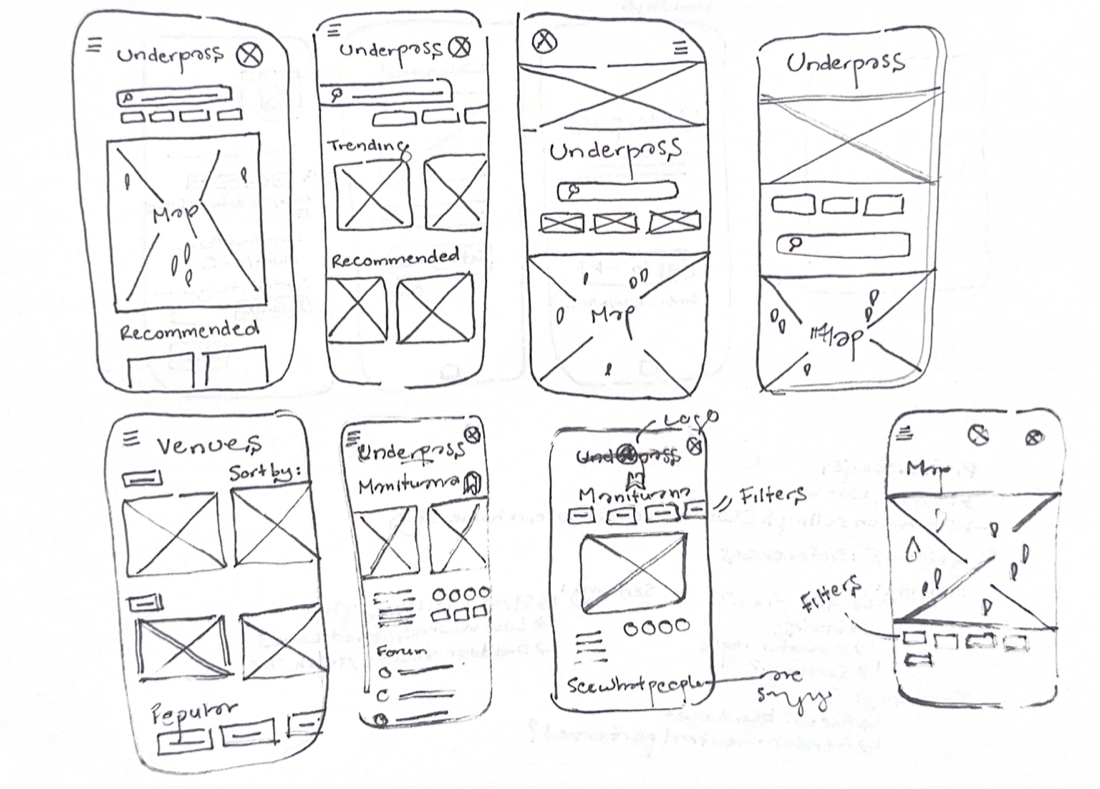
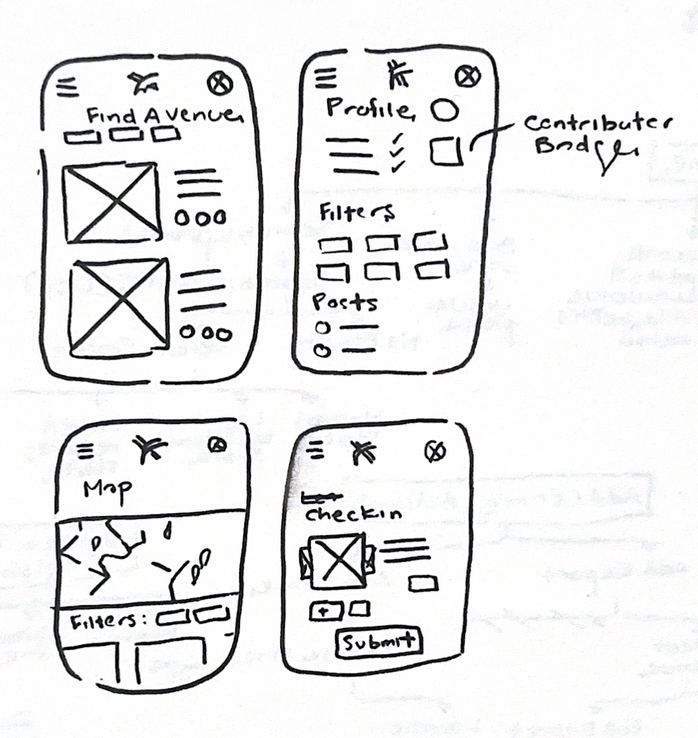
Low-fidelity layouts to test structure and hierarchy before moving into visual design — screens treated as testable hypotheses, not deliverables.
Task-based sessions to test clarity of venue profiles, filter behavior, and reporting flows — synthesis fed back directly into layout decisions.
Final UI decisions focused on comparability, confidence states, and calmer decision-making at the point of commitment.
01 — The Challenge
Finding a live music venue that works for your body, mobility needs, or sensory thresholds is still too dependent on guesswork. Venue websites flatten access into a single paragraph; community reviews are inconsistent, anecdotal, and hard to compare.
The design problem was to replace that guesswork with a calmer decision layer — something people could consult before buying tickets or traveling across the city.
People need to know what they can rely on and what still needs checking. A rough but honest signal is more useful than a polished screen that overpromises.
No one judges a venue by one feature. Entrances, toilets, seating, sound, sightlines, and staff support all add up to the real experience.
The interface should help people rule venues in or out quickly, then open up detail only when they need nuance, proof, or edge cases.
02 — Discovery
The early phase focused on where uncertainty actually builds. Instead of treating accessibility as one venue attribute, the research reframed it as a sequence of risk checks across planning, arrival, circulation, and participation.
That changed the product definition. Underpass stopped being a directory and became a decision-support tool — one that had to hold structured facts alongside partial data, user reports, and access conditions that shift from event to event.
Discovery artifact
The persona work clarified that users were not just browsing venues. They were weighing access, risk, timing, and trust before deciding whether a space was actually usable. That framing helped shape discovery, reporting, and the way uncertainty is surfaced throughout the product.

"I don't mind planning ahead. I just need honest information."
Persona
27 · Digital Marketing Assistant · Wheelchair user
Profile
Relies on detailed accessibility information to confidently attend concerts, events, and cultural venues independently.
Goals
Needs
Pain Points
Behaviours
Scenario
Wants to attend a concert but finds only a generic accessibility statement on the venue website. Uses community-submitted reviews, photos, and accessibility reports to determine whether the venue will actually meet her needs.
Underpass Opportunity
Provide reliable, community-driven accessibility information that reduces uncertainty and helps users make informed decisions before attending a venue.
Observed gap
Most venue pages expose only minimum compliance language, not the detail people actually use to decide whether a night out is feasible.
User need
Actionable detail: route difficulty, seating clarity, toilet access, wait conditions, and whether support requires calling ahead.
Design implication
Prioritize comparability, confidence states, and structured summaries before asking users to read long-form notes.
03 — Structure
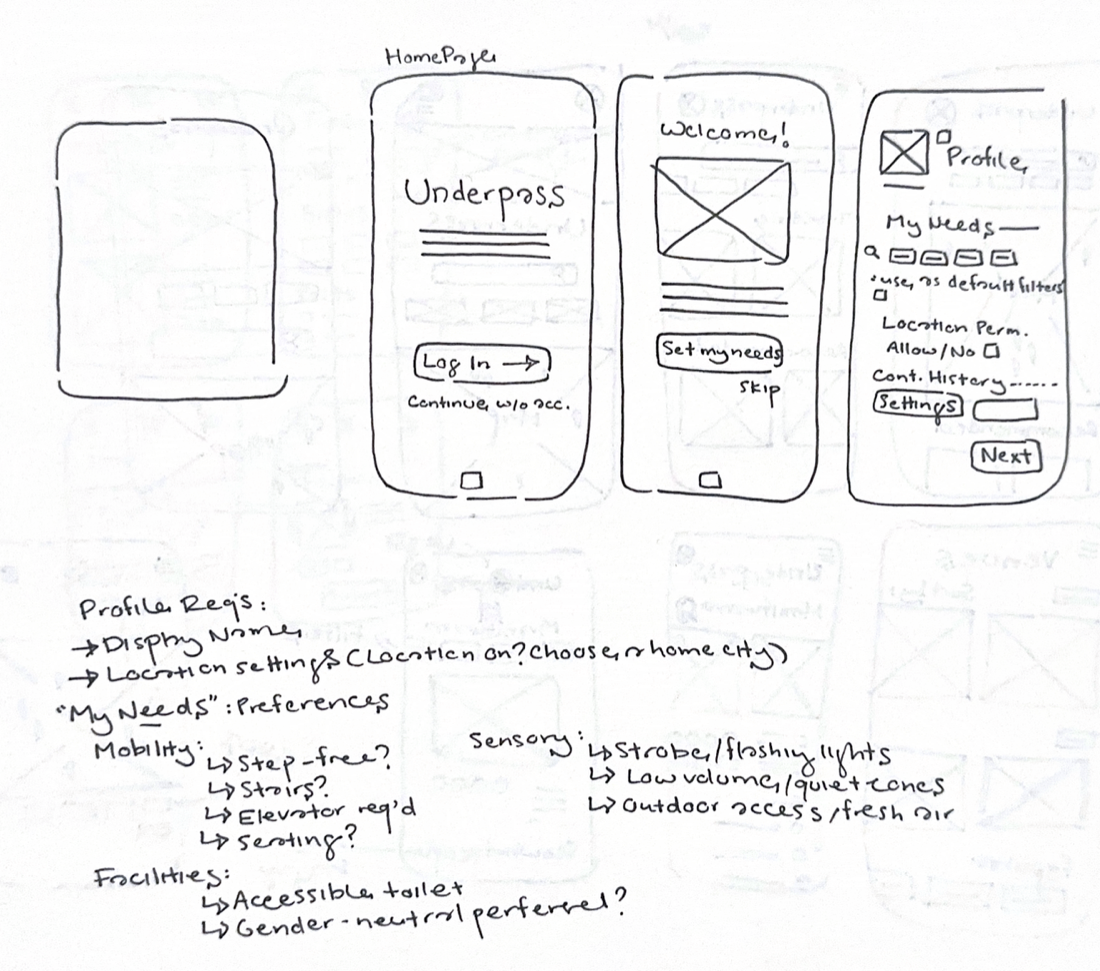
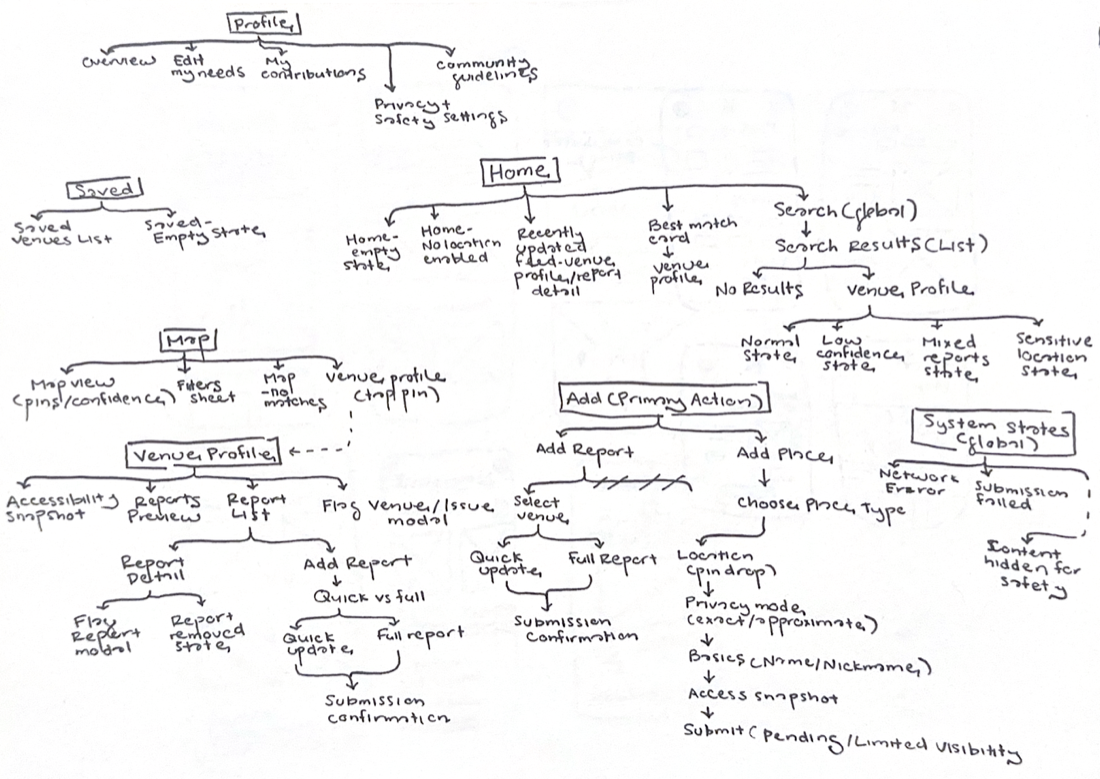
The architecture was organized around the questions users actually ask: Can I get in? Can I move through the venue? Can I stay for the full experience? Can I trust this enough to commit?
That led to a layered venue profile: a scannable access summary, expandable categories, and deeper notes for edge cases — evidence first, detail on demand.
Process artifact
Process artifact
04 — Core Flows
Three flows carry most of the product weight: how users find venues, how they read and manage access detail, and how they contribute reports back into the system.
04.1 — Preference Setup & Discovery
The onboarding flow asks for practical preferences rather than broad labels, giving the product a clearer basis for shaping discovery. Fewer, more usable inputs — no false precision from an over-detailed setup.
04.2 — Adaptive Profile
The profile is an editable accessibility layer, not a static account page. Preferences shift over time, so the system stays flexible rather than locking in a fixed setup.
04.3 — Venue Reporting
Users can update existing venues or add new ones — including temporary and underground spaces that rarely appear elsewhere. Timestamps, conflicting reports, and verification markers keep uncertainty visible rather than flattening it into false authority.
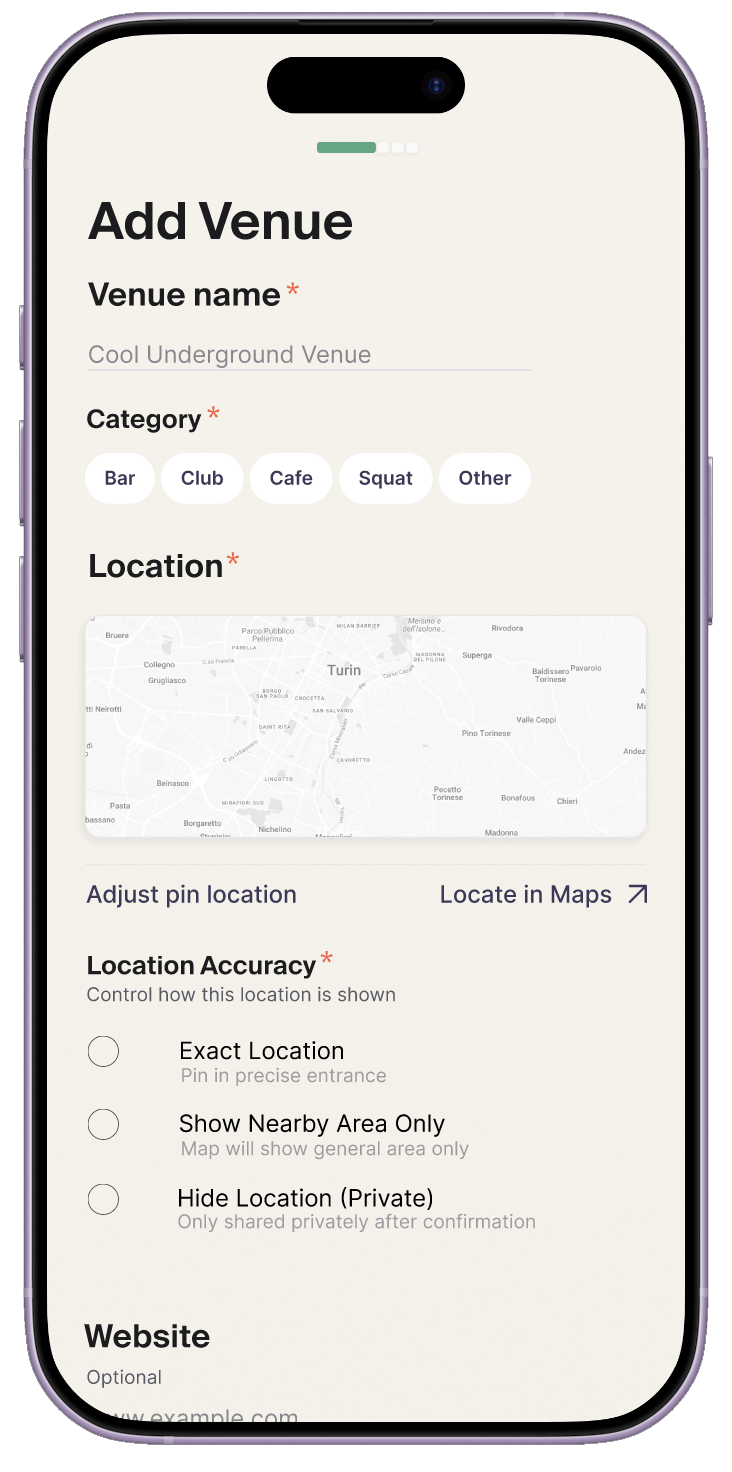
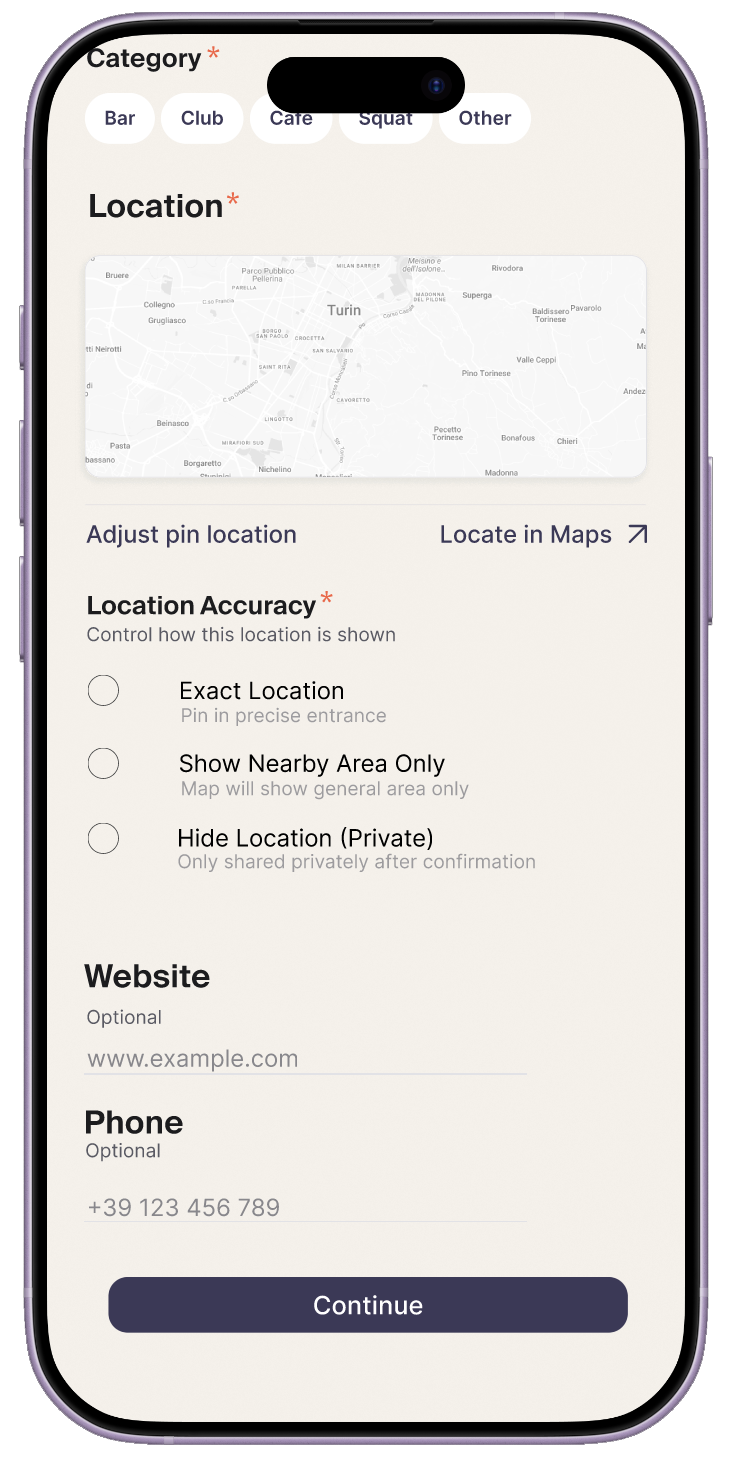
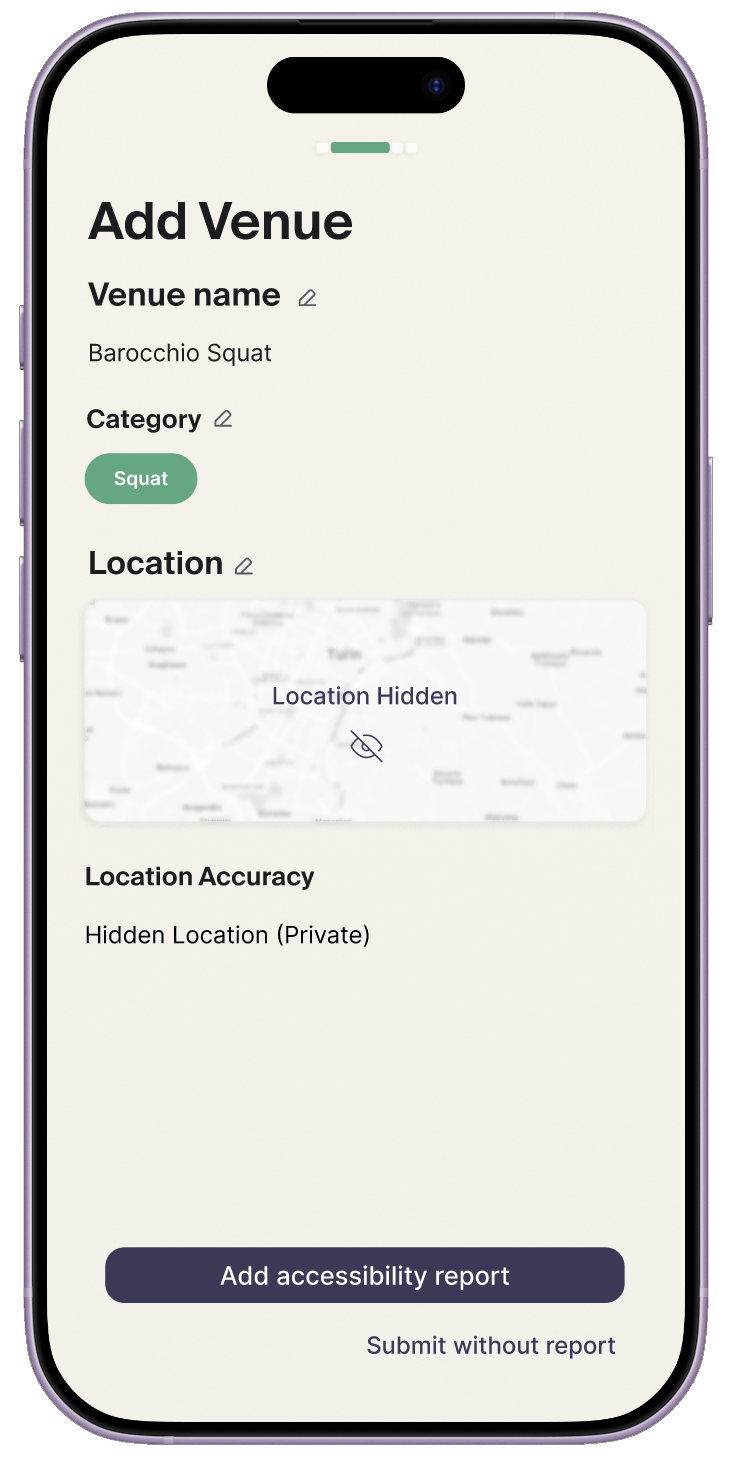
Users can mark a venue as public, private, or approximate — protecting underground and temporary spaces while still letting accessibility detail circulate.
05 — Constraint
Venue accessibility data is usually incomplete — some official, some user-submitted, some inferred. Treating it all as equally reliable would undermine trust immediately.
The response was to make uncertainty legible. Underpass uses evidence labels and progressive disclosure to show what is confirmed, what is probable, and what still needs checking — a messier but more trustworthy model than a single summary score.
Separate confirmed venue details from community insight and unresolved gaps, so users can judge reliability at a glance.
Keep a venue profile useful even when some categories are missing, instead of collapsing into an all-or-nothing experience.
Invite future contributions without making the product feel like unpaid admin for people already doing extra work to attend.
05 — Confidence states / Participation
Underpass often meets people at points of uncertainty — nothing matched, nothing saved, nothing submitted yet. Rather than leaving those screens blank, the interface keeps people oriented and gives them a clear next move.
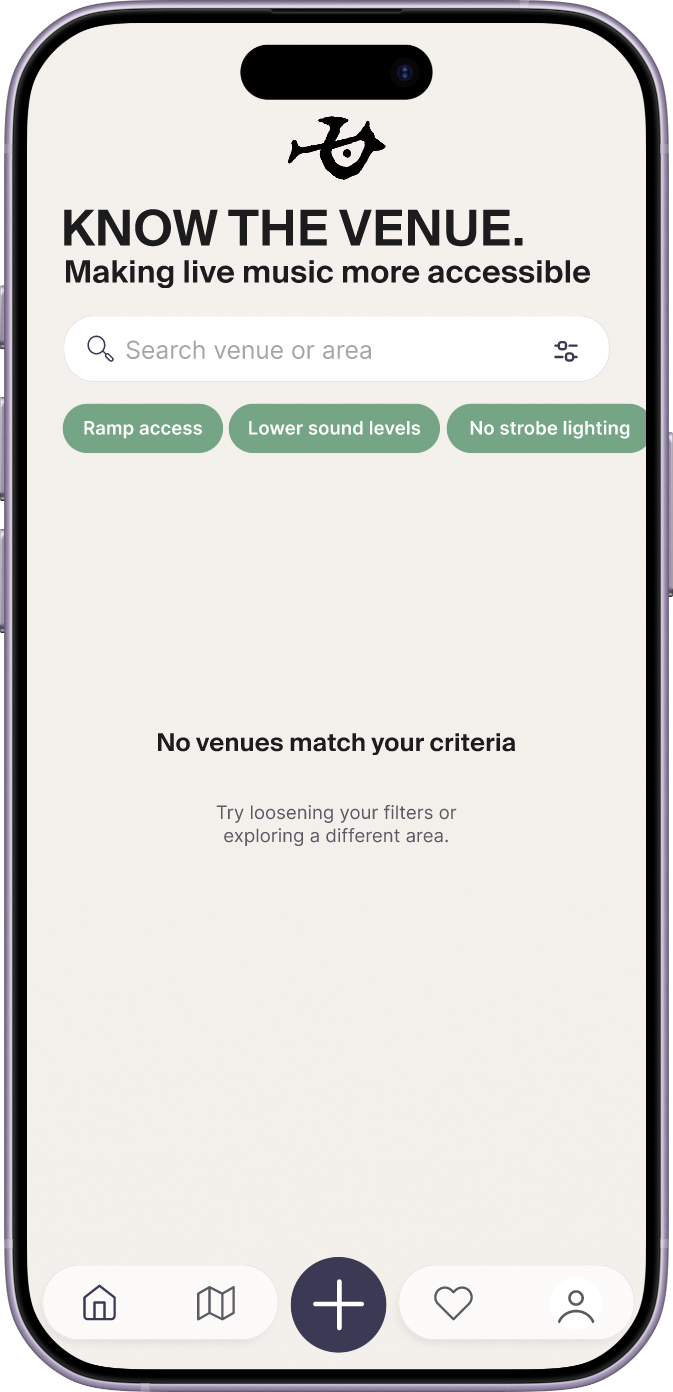
Filtered browse
When a search returns nothing, filters stay visible so users can broaden criteria instead of resetting the whole task.
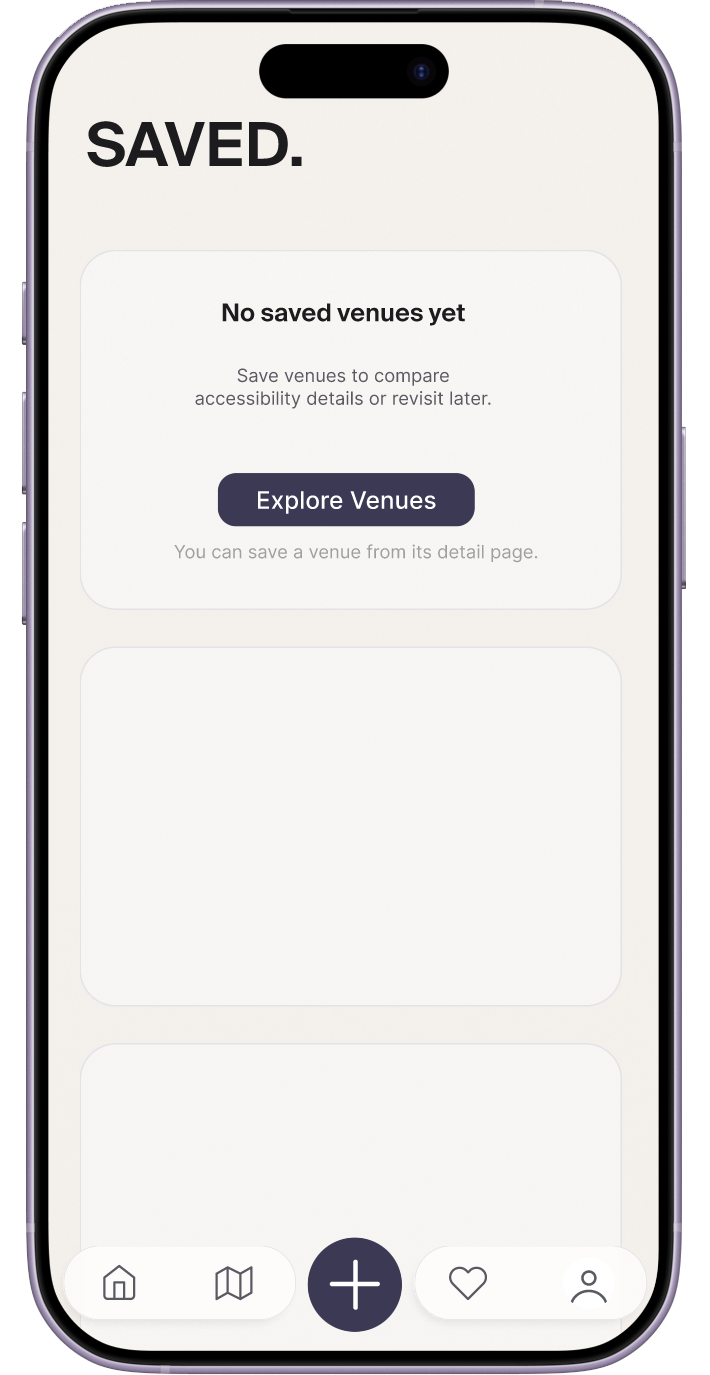
Saved venues
The saved view is framed as a place for later comparison rather than an abandoned list — waiting for detail, not missing it.
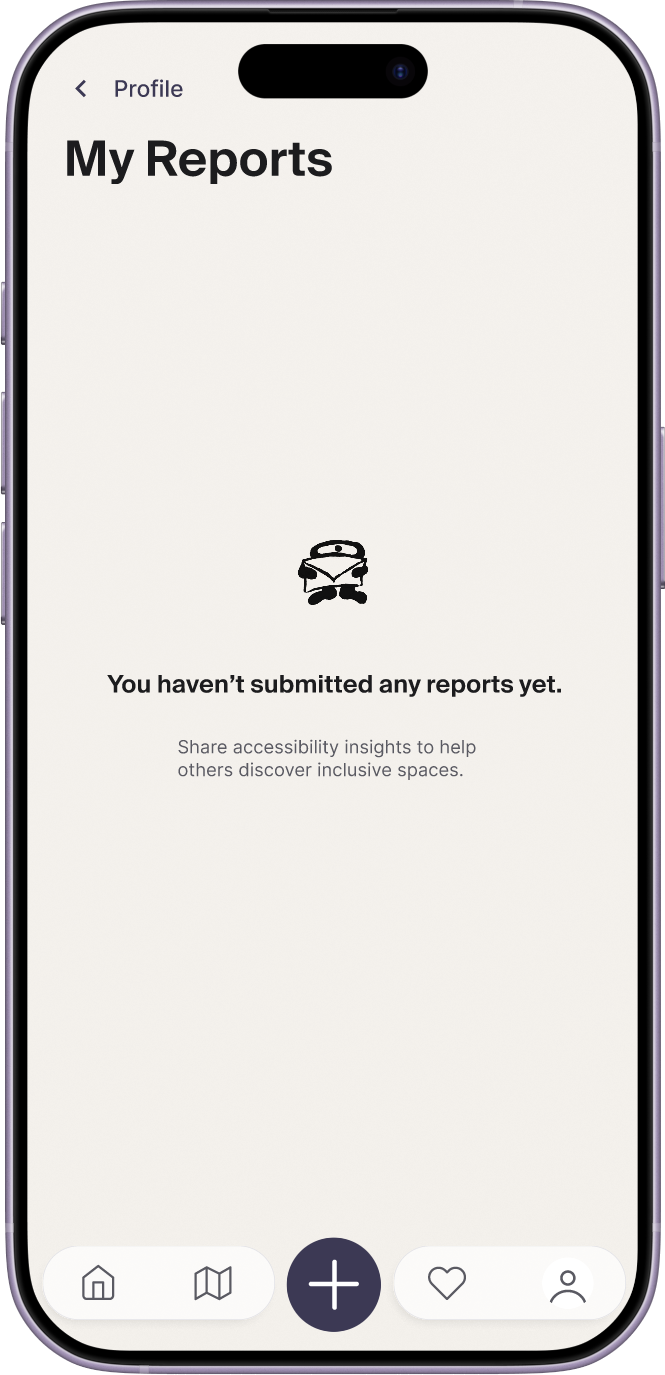
My reports
Before any report history exists, the screen explains why contributing matters and what that participation adds to the wider system.
06 — Outcome
The final concept treats accessibility information as infrastructure, not afterthought. The interface stays calm, but the model underneath is built to reduce uncertainty before someone commits to a night that may not work.
The strongest result is the decision logic: turning fragmented access information into something comparable and legible before someone commits to going out. Judgment support over completeness — clarity over the appearance of certainty.
Venue profiles are organized around access questions rather than generic ratings, making it faster to rule spaces in or out before committing.
Structured facts, community input, and unresolved unknowns are shown as distinct information types instead of being flattened into one reliability level.
Uncertainty is surfaced through confidence states and evidence labels, so users can judge risk rather than trust a simplified summary score.
07 — Reflection
The project clarified that accessibility products need to communicate confidence, not just information. Ambiguity is part of the system, so the interface has to expose it directly rather than smoothing it over for the sake of a cleaner screen.
If developed further, the next step would be testing contribution mechanics, event-level variation, and ways for venues and attendees to co-maintain access profiles without overburdening either side.